
A thermal view.
A defined video path.
Evaluate thermal video as an input to an FPV system. Start with thermal contrast and field of view, then match the module output to the equipment that receives it.
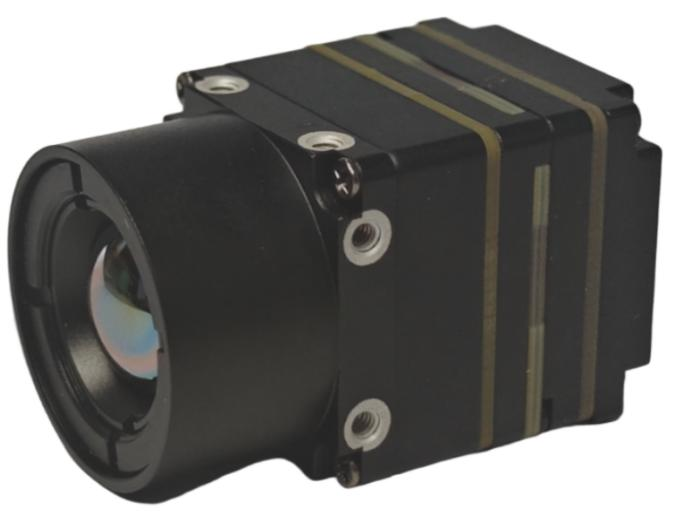
See the complete path.
Typical input path for evaluation. The product photograph represents a thermal-input direction; it does not identify an exact lens or establish a complete thermal payload.
- Thermal sceneContrast and detail size
- Thermal moduleDetector, lens and output
- Receiving pathInterface and video handling
- Display / hostCustomer equipment
The diagram describes a review path, not a claim that one module supplies every stage.
Start with the scene and the lens.
Define what must be distinguishable, its size in the scene and the viewing geometry. Choose the lens and interface together with the intended installation.
- Thermal contrast
- Describe the object and background temperatures or relative contrast where known. Weather, surface properties and changing conditions belong in the test record.
- Field of view
- Match the required coverage and image detail to the exact lens variant. Keep lens choice and viewing distance attached to any comparison.
- Video output
- Confirm the exact module’s output, image mode, control interface and pinout. Analog video and USB paths require different receiving equipment.
- Mechanical and thermal fit
- Review lens clearance, module envelope, mounting, power, cable routing and heat dissipation for the selected assembly.
- Visible + thermal workflow
- If the aircraft uses both channels, define how they are displayed or processed. Two cameras alone do not establish registration, synchronization or image fusion.
Keep the conditions with the picture.
Separate detection, recognition and identification when defining an evaluation. Each asks a different question and needs its own acceptance criteria.
Define the observation
Agree the required detail, viewing geometry, thermal contrast and lens / field of view.
Connect the complete path
Verify output, receiving settings, startup behavior and any documented image-correction behavior for the exact module.
Repeat across conditions
Record the scene, environment, configuration and received video. Assess installation and heat behavior before deciding the next evaluation step.
Find a product direction.
Choose thermal input when the customer’s equipment receives and handles the image. Review the AI product separately if model-specific onboard processing of thermal input is required.
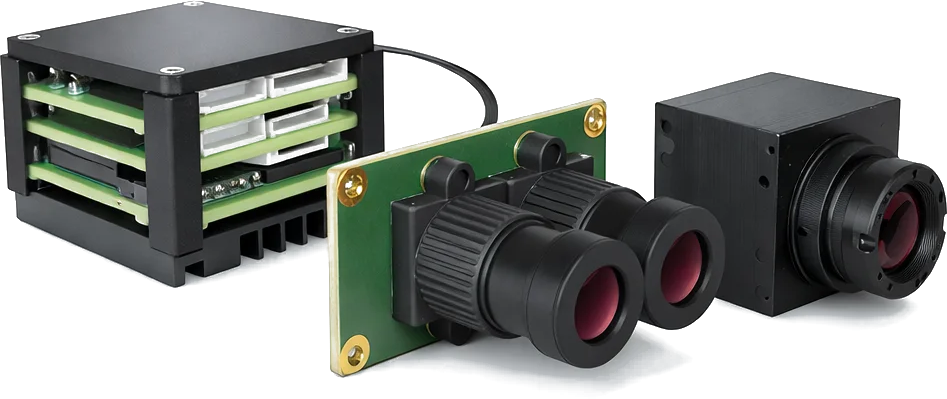
Bring these details.
Include the following information in your Support message. An incomplete design can still be reviewed; identify the decisions that remain open.
- Scene, object size and thermal contrast
- Required field of view and viewing distance
- Expected operating environment
- Receiving device and required video / control interface
- Power, lens clearance and installation envelope
- Whether visible and thermal channels are used together
Questions before selection.
A few distinctions that affect the module choice and the evidence needed for evaluation.
Does a thermal input module include a complete payload?
Only if the exact documented configuration includes it. A thermal core does not by itself establish a gimbal, complete enclosure, stabilized assembly or flight-ready payload.
Are detection and recognition distances interchangeable?
No. Detection, recognition and identification are separate metrics. Preserve each source’s lens, target and test conditions; platform results require evaluation.
Does thermal input automatically provide onboard AI?
No. Thermal capture and onboard recognition / tracking are different functions. Confirm AI capability and input support for the exact AI model and firmware.
Bring your FPV setup.
Start the review.
Use the Support form to share your equipment, required video input and integration questions. Include the product or application you are evaluating.